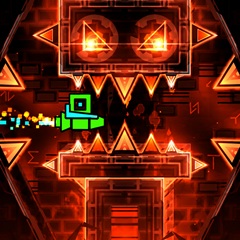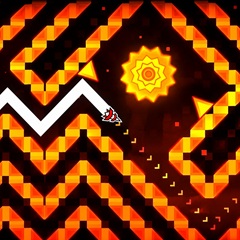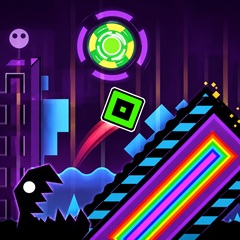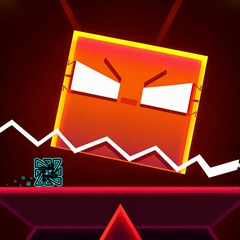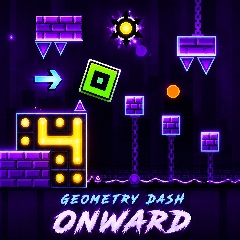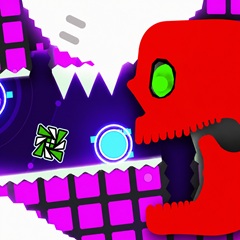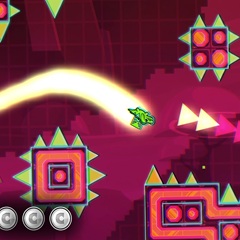
Take on Geometry Dash Slow, a thrilling platformer packed with glowing hazards and deadly traps. Navigate tricky paths and overcome every obstacle.
Geometry Dash Slow offers a distinctive rhythm platforming experience where careful timing, controlled movement, and quick decisions determine how far you can progress. Your character travels through geometric levels filled with sharp spikes, narrow passages, glowing hazards, and unexpected obstacles, requiring you to coordinate every action with the path ahead. The slower gameplay pace gives you more time to observe upcoming dangers and prepare your next move, but completing challenging sections still demands concentration and accurate timing, particularly when several hazards appear close together.
Unlike traditional platformers that emphasize free movement and exploration, Geometry Dash Slow focuses on navigating carefully designed routes where a single mistake can interrupt your progress. Each attempt gives you another opportunity to recognize obstacle patterns, improve your reactions, and understand the level layout, making the experience rewarding for players who enjoy mastering difficult stages through practice.
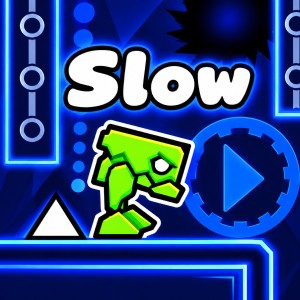
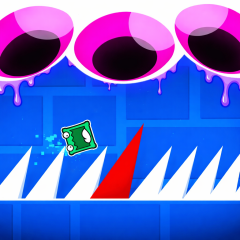
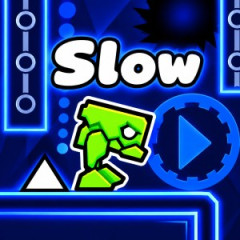
The robot character is jumping over an obstacle
One of the most distinctive features of Geometry Dash Slow is its vivid neon aesthetic, which combines deep blue backgrounds, glowing outlines, angular platforms, and bright geometric effects to create an intense atmosphere. The contrast between dark surroundings and electric blue elements makes the level visually striking while helping players distinguish platforms and hazards as they move through the course.
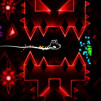
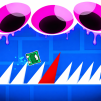
The gameplay screenshots reveal large circular structures with triangular centers and jagged outer edges resembling mechanical gears, positioned near elevated platforms and narrow passages. Their bright blue appearance makes them stand out against the dark environment, creating visual landmarks that encourage players to pay attention to the surrounding layout before approaching them. Sharp triangular spikes along the ground introduce another threat, as their pointed shapes leave little room for careless jumps and require accurate timing to avoid collisions.
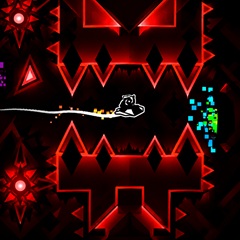
Another striking detail is the large spiked structure surrounded by an intense blue glow, with irregular edges and angular shapes extending outward from its center. Its dramatic appearance against the black background reinforces the game's geometric identity and makes the hazard visually prominent, encouraging players to remain alert when navigating nearby obstacles.
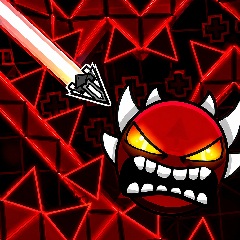
The environment also includes suspended geometric details, narrow corridors, and mechanical looking structures that make the route feel more complex than a simple platforming course. Depending on the level, contrasting colors such as red may also appear among the visual elements, although players should focus on the actual shape and behavior of each object rather than assuming that color alone determines its function.
Geometry Dash Slow offers additional variety through portals that can transform your character and change how you navigate the level. Depending on the section, you may encounter forms such as Cube, Ship, Ball, UFO, Wave, Robot, and Spider, each introducing different movement patterns that require you to adjust your timing and control.
The Cube relies on carefully timed jumps to clear spikes and gaps, while the Ship requires controlled flight through open spaces and narrow passages. The Wave moves diagonally when you hold and release the control input, making small adjustments especially important when navigating tight corridors. Other character forms introduce their own movement characteristics, encouraging you to recognize each transformation and adapt before reaching the next obstacle.
Portals can also modify gameplay conditions by changing gravity, character size, or movement behavior, depending on the portal type. These transitions make the experience more demanding because an obstacle that seems manageable with one character form may require a completely different approach after a transformation. Learning to recognize portals and anticipate their effects helps you react more confidently when the level introduces a new movement challenge.
The core gameplay revolves around guiding your character through a sequence of geometric obstacles, with your primary responsibility being to perform the correct action at the right moment. A mistimed jump can send you directly into a spike, while an unnecessary movement inside a narrow corridor may cause a collision before you reach the next safe section.
The slower pace encourages you to pay closer attention to the distance between obstacles and identify suitable moments to act. Instead of reacting only when a hazard is directly in front of you, observe the upcoming path and consider how your current character form will respond to the next movement. This approach becomes particularly useful when the level combines spikes, elevated platforms, and sudden changes in movement mechanics.
As you progress, the challenge comes from coordinating several actions in succession rather than overcoming a single obstacle. You may need to clear a spike, pass through a portal, and immediately adapt to a different movement style, making it essential to maintain concentration throughout the sequence. Learning the layout through repeated attempts helps you recognize these transitions and respond more consistently.
Understanding the controls and learning how to approach different obstacles will help you navigate the levels more confidently, especially when the route becomes increasingly difficult or your character changes form.
On supported desktop versions, you can generally use the following inputs to control your character, although the exact controls may vary depending on the game version and character form.
Spacebar: Perform the primary action, such as jumping or controlling flight when supported by the current character.
Up Arrow: Activate the primary movement input in versions that support keyboard controls.
Mouse Click: Control the character using your mouse, allowing you to perform the required action without relying on the keyboard.
Z: Place a checkpoint in Practice Mode when this shortcut is supported.
X: Remove the current checkpoint in supported Practice Mode versions.
Esc: Pause the game and take a moment to review your approach.
The way your character responds depends on its current form, so the same input may produce different movement patterns during different sections. Check the instructions displayed in your version before playing, particularly if the available controls differ from those listed above.
Pay attention to the distance between your character and the next obstacle rather than waiting until the last possible moment to react. When approaching sharp spikes or narrow gaps, make your move with enough precision to clear the hazard without losing control of your landing position.
When you pass through a portal, identify the new character form and adjust your movement accordingly, because controlling the Cube requires a different approach from navigating the course as the Ship or Wave. Understanding these differences helps you prepare for obstacles immediately following a transformation.
Look for the safest route before entering a tight corridor, especially when glowing circular hazards, spikes, or other obstacles appear close together. Recognizing recurring arrangements can help you anticipate upcoming movements and avoid unnecessary corrections that might lead to a collision.
If Practice Mode is available, place checkpoints before difficult sections and repeat them until you become more comfortable with their obstacle patterns. This approach allows you to focus on specific challenges, identify mistakes, and refine your timing without needing to replay the entire level after every failed attempt.
Geometry Dash Slow combines a distinctive neon aesthetic, varied character mechanics, and obstacle based challenges that reward patience as much as quick reactions. The glowing blue hazards, sharp geometric structures, and changes in movement create an engaging environment where observing the route is just as important as choosing the right moment to act.
The slower pace can appeal to players who prefer having additional time to study obstacles, while the carefully arranged hazards still provide plenty of opportunities to improve through practice. Each attempt helps you become more familiar with the course and develop a better understanding of how to approach difficult sections.
If you enjoy testing your timing and coordination in geometric environments, you can also explore Geometry Vibes, another option for players who enjoy reflex based challenges, precise movement, and visually engaging arcade gameplay. Trying both games gives you an opportunity to experience different approaches to obstacle navigation while discovering which style best matches your preferences.
Whether you enjoy mastering precise jumps, learning new movement patterns, or navigating visually striking geometric environments, Geometry Dash Slow offers a satisfying challenge that encourages you to keep refining your skills and pushing further through each level.